Apple's Vision Pro headset can now be controlled using only thoughts, thanks to integration with neurotechnology startup Synchron's brain-computer interface (BCI).
The company today announced that Apple Vision Pro has been successfully used by a patient through direct brain control facilitated by Synchron's brain-computer interface technology. Mark, a 64-year-old man suffering from amyotrophic lateral sclerosis (ALS), demonstrated the integration.
With this technology, Mark controlled the cursor on the Vision Pro to play Solitaire, watch Apple TV, and send text messages without using his hands, which he can no longer move due to his condition. The Vision Pro's reliance on hand gestures would otherwise pose a barrier for users like Mark who have lost upper limb functionality.
Incredible. This is one of the best uses of this tech I've read about to date.
Wow. Someone was selling Apple Employee #10’s employee badge?! What an incredible piece of Apple history! Sure, it’s not Steve Jobs’ badge (despite the auction title), but there are only so many of these in the world — especially from one of the first ten employees.
...
Oh snap. It’s really fake?
A great story about an eBay forger who (unfortunately) has been getting away with selling all kinds of fake memorabilia. Be sure to also read the comments, which point out all kinds of mistakes the forger made, which may help you spot some fakes on other auction listings.
This is based on a discussion thread I just started on TidBits Talk.
For those who are unaware, in macOS 11 (aka "Big Sur"), Apple changed all of the standard system sounds. If you compare the system sounds preferences of it (or newer) releases with prior releases, you'll see that the standard set changed:
This is a cross-posting of a thread I started on TidBITS Talk
Yesterday, while taking a short road trip, my iPod Touch (running iOS 15.8.1) stared giving me "headphone safety" notifications, complaining that I’m subjecting myself to dangerous volume levels for an extended period of time.
Yes, the iPod was running at maximum volume for three hours. But not into headphones. The headphone jack was connected to a cable to the car’s AUX audio input, for playback over the car's speakers.
I’ve been doing this for years, but something must have changed recently because I never got these warnings before today. (And they even propagated through iCloud into my phone’s Health app - just to rub it in, apparently).
I eventually found the location to disable this, but contrary to expectation, it’s not located in the "Sounds → Headphone Safety" page of system settings (where the option to "Reduce Loud Sounds" is located), but is instead, in the Accesibility section, for some strange reason. Accessibility → Hearing → Audio/Visual → Headphone Notifications.
I've turned it off. I’ll see if it does anything on my next road trip, where I'll be playing music at 100% volume out the headphone jack into the car stereo for six hours.
Apple’s brand new Mac has a security hole, right inside the processor itself!
The official name for the bug is CVE-2021-30747, but the developer who discovered it prefers to call it M1RACLES, all in caps.
Like every BWAIN (our own impressive name for bugs with impressive names, short for Bug With An Impressive Name), it has a personalised domain, a logo and a website where you can learn all about it.
The finder of the bug, Hector Martin, writes on the website that:
The vulnerability is baked into Apple Silicon chips, and cannot be fixed without a new silicon revision.
... the bug name M1RACLES expands, rather tortuously, as:
M1ssing Register Access Controls Leak EL0 State
It turns out that Apple’s M1 chip includes a CPU system register known, ineffably, as s3_5_c15_c10_1.
According to Hector Martin, this register can be read from by userland programs running at EL0, though he doesn’t know what the register is actually used for, if anything.
However, userland programs aren’t supposed to be able to write into it, given that it’s a system register and supposedly off-limits to EL0 programs.
But Martin discovered that userland code can write to just two individual bits inside this register – bits that are apparently otherwise unused and therefore might be considered unimportant or even irrelevant...
... and those bits can then be read out from any other userland program.
And that’s it!
That, in a nutshell, is the entirety of the “baked-in” security vulnerability CVE-2021-30747, also known as M1RACLES.
...
There’s nothing that you can do, but fortunately there’s nothing you need to do, so you can relax.
Clearly, if it is possible to access a register you're not supposed to have access to, it's a bug that must be fixed and I suppose it technically counts as a security vulnerability but does this really require creating an entire Internet domain and web site to advertise it?
In part 3 of this article series, I described my application migration story. In this part, I'm (finally) finishing up the tale by talking about my various pieces of hardware that either worked or needed to be replaced. All of the work I'm describing here was actually done in October and November, but I'm just getting around to writing about it now.
Ideally, I would like to just swap the computer and leave everything else unchanged. But life is not ideal. Over the years, Apple has changed the port configuration of the Mac mini, so not everything can just plug in. At least not without some adapters. And some devices that were perfectly great 9 years ago are old and slow by today's standards. So it's time to change up several peripherals.
In part 2 of this article series, I described the migration process to move all my stuff to the new computer. In this article, I want to share my experiences with application support. What just worked, what didn't work and what was easy and hard to make work.
As you probably know, the latest versions of macOS, starting from version 10.15 (Catalina), do not support 32-bit applications. No 32-bit application will work unless you run it on an older version of macOS (e.g. via a virtual machine). Apple has supported 64-bit applications for a very long time, and they have always been supported on Intel processors. Nevertheless, quite a lot of Mac apps in my possession were 32-bit. I'm not sure why, since 64-bit compilers were available on the Intel Mac platform since day-one.
In part 1 of this article series, I explained why I needed to upgrade my old Mac, what I bought, and the shipping process.
Now that the computer had arrived, the next step was to move all of my data from the old computer to the new one. In the past, I did this the hard way - I manually created user accounts (an administrator, my personal account, and accounts for my wife and daughter). I then copied all of our documents over the LAN, manually installed all the software I require, ending up with a working system. The whole process usually takes a week or two, plus all the time needed to configure my preferences in everything.
This time, I decided to use Apple's Migration Assistant utility to speed up the process. This, as it turns out, was a mixed bag. Some parts of the migration worked flawlessly, and other parts made a mess I had to clean up after.
For the past 9 years, I have been using the same computer for my main home system, a Mid-2011 Mac mini server. Equipped with two 750 GB hard drives and 16 GB of RAM (upgraded from its original 4GB), it has served me very well. Originally shipped with macOS version 10.7 ("Lion"), it has been upgraded several times through macOS 10.12 ("Sierra"). Although still working great today, it has become increasingly obvious that it needs to be replaced.
The main reason is that its system software is no longer supported by Apple. Although I could theoretically get a bit more support by upgrading to macOS 10.13 ("High Sierra"), that's still an old version and it has many known problems that I don't want to have to deal with. More recent versions of macOS are not compatible with this hardware and therefore can't be installed.
Another bigger problem is that some of my applications can't be upgraded. In particular, Microsoft Office dropped support for macOS 10.12. In order to get any new updates, including security updates, I need to move on to a newer version of macOS.
Finally, it's a bit slow. Modern versions of macOS make heavy use of the file system and a SATA hard drive, no matter how well it performs, just can't keep up these days. An SSD is really required for good performance. I could replace the hard drives with SSDs, of course, but that wouldn't solve the other two problems, so it became time to shop for a new Mac.
Today, Apple announced a new version of their 13" MacBook Pro. You can read a pretty good summary of it at MacRumors or on Apple's product page. But the real important question (at least to me) is whether it is worth getting this computer or the 13" MacBook Air. Both are very lightweight and relatively inexpensive so it's not necessarily a clear-cut decision.
Apple had developed the iPhone in secret over those two and a half years, and for many inside the company, the device had only been known by the codenames “M68” and “Purple 2.” Apple was focused on surprising everyone with the iPhone, and that meant that many of the engineers working on the original handset didn’t even know what it would eventually look like.
To achieve that level of secrecy, Apple created special prototype development boards that contained nearly all of the iPhone’s parts, spread out across a large circuit board. The Verge has obtained exclusive access to the original iPhone M68 prototype board from 2006 / 2007, thanks to Red M Sixty, a source that asked to remain anonymous. It’s the first time this board has been pictured publicly, and it provides a rare historical look at an important part of computing history, showing how Apple developed the original iPhone.
Reporter Kashmir Hill spent six weeks blocking Amazon, Facebook, Google, Microsoft, and Apple from getting her money, data, and attention, using a custom-built VPN. Here’s what happened.
A great series of articles illustrating very succinctly why it is pretty much impossible to completely avoid the "big five" Internet companies unless you want to disconnect from civilization altogether.
In November, a Huawei engineer heading up smartwatch development tracked down a supplier that helps build the Apple Watch's heart rate sensor, The Information said. The person arranged a meeting with the claim he could offer a manufacturing contract, but instead probed for details about the Apple Watch, an anonymous executive at the supplier said.
The engineer was accompanied by four researchers, and together the group is said to have spent an hour and a half asking about the Watch. With nothing given Huawei went silent.
Huawei has reportedly used similar tactics against companies like Cisco, Motorola, and Akhan Semiconductor. The U.S. Justice Department in fact claims that Huawei has a program that rewards employees for stealing data, with better bonuses based on how confidential information is.
This should come as no surprise, given the fact that the Chinese government has been stealing military and technology secrets for decades. And an important reason why nobody should buy Huawei equipment. Getting something for a low price should not be enough justification to reward theft.
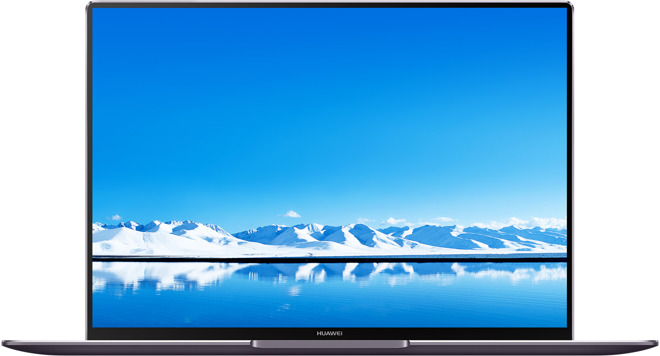
Huawei paid Gal Gadot to tweet out her affection for its Mate 10 Pro smartphone, but the Wonder Woman star sent it via her iPhone, the latest in a long line of celebrity endorsements for Android that revealed they were really iOS users.
It appears that celebrities love Apple products so much that they use them for broadcasting endorsements for competing products.
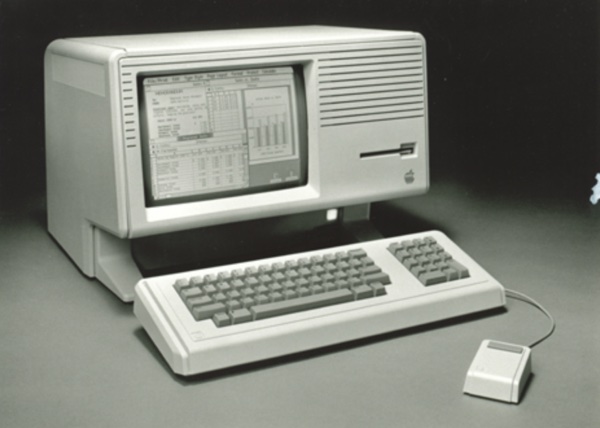
The Apple Lisa, released in 1983, was one of the first personal computers to come equipped with a graphical user interface, and soon the operating system that ran on the Lisa will available for free, courtesy of the Computer History Museum and Apple.
As noted by Gizmodo, Al Kossow, a software curator at the Computer History Museum, recently announced that both the source code for the Lisa operating system and the Lisa apps have been recovered. Apple is reviewing the source code, and once that's done, the museum will be releasing the code publicly.
This is really awesome news. Hopefully it will spur some people in the emulation community to make a Lisa emulator we can run on our modern computers under macOS, Windows and Linux. I, for one, would love to be able to try out this historic computer and compare the experience with what I remember from the early Macs, with the design ideas Jef Raskin developed, and other contemporary computer systems.
Business Insider got an exclusive look at the iPhone X, and, naturally, we tried to beat its facial-recognition feature by having one twin register his face and the other try to break in.
A very impressive test. The phone was able to tell the registered owner from his identical twin. And, as promised, a hat, scarf and sunglasses did not change a thing.
Snazzy Labs builds a $70 hackintosh—or, as he calls it, crapintosh—computer for those who want a super tight budget PC build. Can a $70 hackintosh be any good? Can a cheap hackintosh outbench a MacBook Pro? Do Apple's iMac, MacBook Pro, and Mac Pro blow this 5-year-old computer into outer space or does the hackintosh give it a run for its money?
Fascinating. Scrounge used parts (government surplus, Craigslist, etc.) to assemble a PC for $70, hack macOS 10.12 "Sierra" onto it and find that it outperforms Apple's low-end laptops and is surprisingly good at just about everything other than high-end gaming.
Now, clearly, the pricing is not realistic. Used and surplus equipment is cheap because the seller's goal is to get rid of it, not to make a profit. And it is sold as-is with no warranty, support or anything else. A company like Apple selling new equipment with the same specs would have to charge a lot more, but it is still a fascinating experiment nonetheless.
Actually, it sounds like a fun hobby project for me if I can clear out some space in my office :-)
Today in 1977, the Apple II was released, joining the ranks of the TRS-80 and the Commodore PET in home computing power. Best known as the adorable lovechild of Steve Wozniak and Steve Jobs, the Apple II came in two forms: fully functional, with all the bells and whistles of a color monitor, power supply, keyboard and case, or just the brain in circuitboard form so you could have all the fun of building it yourself. The computer operated on BASIC programming, so you could go totally off the reservation and even build your own applications.
The Apple II became hugely popular, especially since it had a spreadsheet program people could use instead of lugging around ledgers. Within ten years, the computer would evolve into the Apple IIe and end up in schools across the country because of some brilliant and crafty marketing. Whether you were one of those geeks building it in your own garage or a later generation learning the joys of dot-matrix graphics and programming, Apple II still has a place in your solder-covered heart.


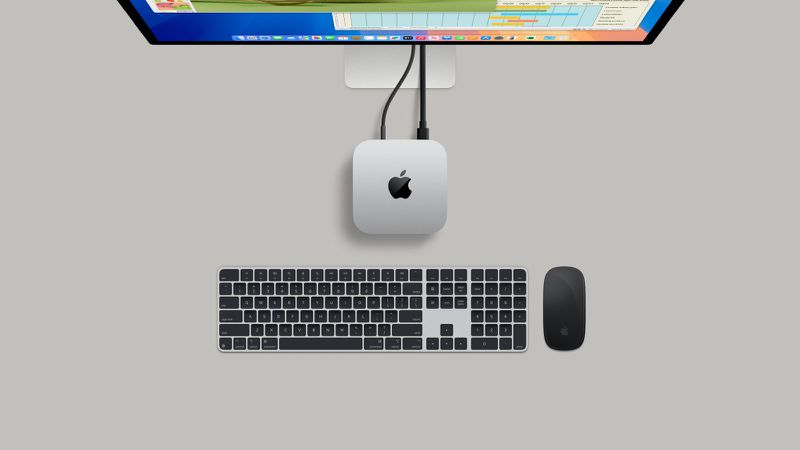 Apple Announces Plans to Begin Assembling Mac Mini in U.S. This Year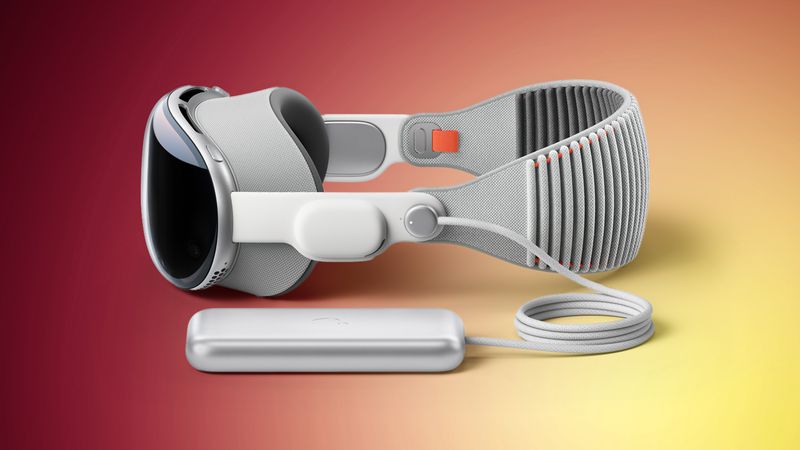


.jpg)
:format(webp)/cdn.vox-cdn.com/uploads/chorus_image/image/63259294/twarren_190308_3283_2280.0.jpg)